MR_Lab10_Pytorch_tutorial_Part7_DataAugmentation
ipynb331 kBPython · 43 cellsIn Lab 10: Data augmentation
Data Augmentation
The objectives of this lab session are the following:
- Visualize augmented data samples
- Experiment with Data Augmentation
All experiments done on CIFAR10.
What Is Data Augmentation?
Data augmentation is the process of creating new training examples by modifying existing ones.
The key idea is to introduce variety in a way that doesn’t change the meaning of the data.
In image classification, this might mean flipping an image, rotating it slightly, or changing its brightness.
The image still shows the same object, and the label stays the same. In other fields, the idea is similar. For natural language processing, you might reword a sentence. In audio, you might change the pitch or add background noise.
These changes are helpful because most machine learning models are sensitive to small details.
A slight shift in color or shape can throw them off if they haven’t seen enough variation during training.
Augmentation exposes the model to different versions of the same concept. Over time, the model learns to focus on patterns that stay consistent, rather than those that change.
This process builds robustness. A model trained with good augmentations can handle new, unseen data more confidently. It has learned not just what the data looks like, but how it can vary.
However, not every change is useful. If you rotate the digit “6” too far, it may look like a “9.” If you crop too much of an image, you might cut out the object entirely. Good augmentations increase diversity without breaking the connection between input and label. This balance is essential.
Visualization of DA
Data augmentation (DA) in Pytorch is done when defining the Dataset class. In order to enable DA, the class must accept a transforms argument, which will dynamically modify the original data samples by applying them a function.
Most of the time, this function is a composition of several functions.
import torch
import torchvision
import torchvision.transforms as transforms
from torch.utils.data.dataloader import DataLoader
from torchvision.datasets import CIFAR10
Types of Data Augmentation
Not all augmentations do the same thing. Some change how the image looks, others modify where objects appear. Some add noise, while others combine images together. It helps to group these techniques by what they do and why you’d use them. link
Geometric Transformations
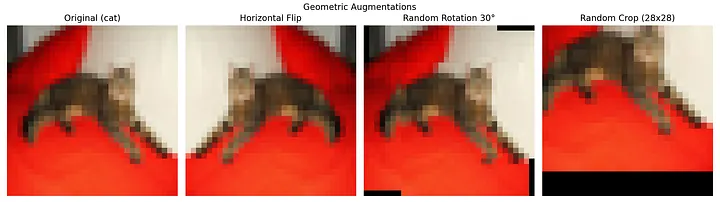
These change the spatial layout of the image. They help the model become less sensitive to position, scale, and orientation.
Examples:
HorizontalFlip,VerticalFlip: Mirror images along axes.RandomRotation: Rotate by small degrees to simulate angle variation.RandomCrop,CenterCrop: Train the model to handle partial views.Affine,Perspective: Apply broader spatial distortions.
RandomCrop
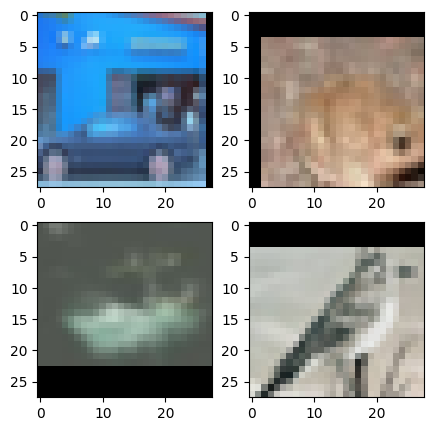
which crops the image at a random location and pads the borders link
transforms.RandomCrop?[1;31mInit signature:[0m
[0mtransforms[0m[1;33m.[0m[0mRandomCrop[0m[1;33m([0m[1;33m
[0m [0msize[0m[1;33m,[0m[1;33m
[0m [0mpadding[0m[1;33m=[0m[1;32mNone[0m[1;33m,[0m[1;33m
[0m [0mpad_if_needed[0m[1;33m=[0m[1;32mFalse[0m[1;33m,[0m[1;33m
[0m [0mfill[0m[1;33m=[0m[1;36m0[0m[1;33m,[0m[1;33m
[0m [0mpadding_mode[0m[1;33m=[0m[1;34m'constant'[0m[1;33m,[0m[1;33m
[0m[1;33m)[0m[1;33m[0m[1;33m[0m[0m
[1;31mDocstring:[0m
Crop the given image at a random location.
If the image is torch Tensor, it is expected
to have [..., H, W] shape, where ... means an arbitrary number of leading dimensions,
but if non-constant padding is used, the input is expected to have at most 2 leading dimensions
Args:
size (sequence or int): Desired output size of the crop. If size is an
int instead of sequence like (h, w), a square crop (size, size) is
made. If provided a sequence of length 1, it will be interpreted as (size[0], size[0]).
padding (int or sequence, optional): Optional padding on each border
of the image. Default is None. If a single int is provided this
is used to pad all borders. If sequence of length 2 is provided this is the padding
on left/right and top/bottom respectively. If a sequence of length 4 is provided
this is the padding for the left, top, right and bottom borders respectively.
.. note::
In torchscript mode padding as single int is not supported, use a sequence of
length 1: ``[padding, ]``.
pad_if_needed (boolean): It will pad the image if smaller than the
desired size to avoid raising an exception. Since cropping is done
after padding, the padding seems to be done at a random offset.
fill (number or tuple): Pixel fill value for constant fill. Default is 0. If a tuple of
length 3, it is used to fill R, G, B channels respectively.
This value is only used when the padding_mode is constant.
Only number is supported for torch Tensor.
Only int or tuple value is supported for PIL Image.
padding_mode (str): Type of padding. Should be: constant, edge, reflect or symmetric.
Default is constant.
- constant: pads with a constant value, this value is specified with fill
- edge: pads with the last value at the edge of the image.
If input a 5D torch Tensor, the last 3 dimensions will be padded instead of the last 2
- reflect: pads with reflection of image without repeating the last value on the edge.
For example, padding [1, 2, 3, 4] with 2 elements on both sides in reflect mode
will result in [3, 2, 1, 2, 3, 4, 3, 2]
- symmetric: pads with reflection of image repeating the last value on the edge.
For example, padding [1, 2, 3, 4] with 2 elements on both sides in symmetric mode
will result in [2, 1, 1, 2, 3, 4, 4, 3]
[1;31mInit docstring:[0m Initializes internal Module state, shared by both nn.Module and ScriptModule.
[1;31mFile:[0m c:\python311\lib\site-packages\torchvision\transforms\transforms.py
[1;31mType:[0m type
[1;31mSubclasses:[0m transform_RandomCrop = transforms.Compose([
transforms.RandomCrop((28,28), padding=(5,10), padding_mode='constant'),
#transforms.RandomCrop((28,28), padding=(10,5), padding_mode='edge'),
#transforms.RandomCrop((32,32), padding=(10,10), padding_mode='constant',fill =255),
transforms.ToTensor(),
##transforms.Normalize((0.4914, 0.4822, 0.4465), (0.2023, 0.1994, 0.2010))
])
rootdir = './data'
#dataset
c10RandomCrop = CIFAR10(rootdir,train=True,download=True,transform=transform_RandomCrop)
loader = DataLoader(c10RandomCrop,batch_size=4,shuffle=True) ### Shuffle to False so that we always see the same imagesLet's do a figure for each batch
from matplotlib import pyplot as plt
f = plt.figure(figsize=(5,5))

for i,(data,target) in enumerate(loader):

    data = (data.numpy())
    print(data.shape)
    plt.subplot(2,2,1)
    plt.imshow(data[0].swapaxes(0,2).swapaxes(0,1))
    plt.subplot(2,2,2)
    plt.imshow(data[1].swapaxes(0,2).swapaxes(0,1))
    plt.subplot(2,2,3)
    plt.imshow(data[2].swapaxes(0,2).swapaxes(0,1))
    plt.subplot(2,2,4)
    plt.imshow(data[3].swapaxes(0,2).swapaxes(0,1))

    break

f.savefig('train_DARandomCrop.png')
(4, 3, 28, 28)
CenterCrop
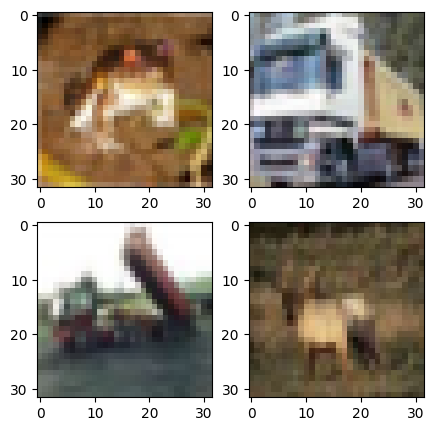
Crop the input at the center. link
transforms.CenterCrop?[31mInit signature:[39m transforms.CenterCrop(size)
[31mDocstring:[39m
Crops the given image at the center.
If the image is torch Tensor, it is expected
to have [..., H, W] shape, where ... means an arbitrary number of leading dimensions.
If image size is smaller than output size along any edge, image is padded with 0 and then center cropped.
Args:
size (sequence or int): Desired output size of the crop. If size is an
int instead of sequence like (h, w), a square crop (size, size) is
made. If provided a sequence of length 1, it will be interpreted as (size[0], size[0]).
[31mInit docstring:[39m Initialize internal Module state, shared by both nn.Module and ScriptModule.
[31mFile:[39m c:\python\python313\lib\site-packages\torchvision\transforms\transforms.py
[31mType:[39m type
[31mSubclasses:[39m transform_CenterCrop = transforms.Compose([
transforms.CenterCrop((32,32)),
transforms.ToTensor(),
])
rootdir = './data'
c10trainFlip = CIFAR10(rootdir,train=True,download=True,transform=transform_CenterCrop)
loaderFlip = DataLoader(c10trainFlip,batch_size=4,shuffle=False) ### Shuffle to False so that we always see the same imagesfrom matplotlib import pyplot as plt
f = plt.figure(figsize=(5,5))
for i,(data,target) in enumerate(loaderFlip):
data = (data.numpy())
print(data.shape)
plt.subplot(2,2,1)
plt.imshow(data[0].swapaxes(0,2).swapaxes(0,1))
plt.subplot(2,2,2)
plt.imshow(data[1].swapaxes(0,2).swapaxes(0,1))
plt.subplot(2,2,3)
plt.imshow(data[2].swapaxes(0,2).swapaxes(0,1))
plt.subplot(2,2,4)
plt.imshow(data[3].swapaxes(0,2).swapaxes(0,1))
break
f.savefig('train_DACenterCrop.png')(4, 3, 32, 32)
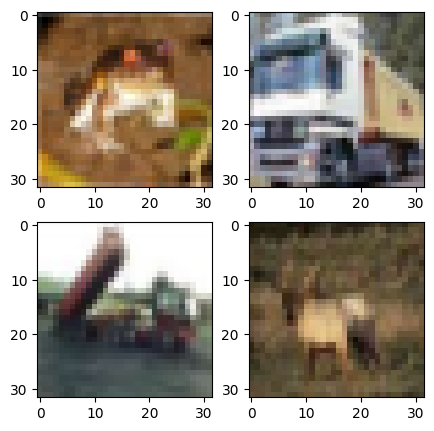
RandomHorizontalFlip
Horizontally flip the given image randomly with a given probability. link
transforms.RandomHorizontalFlip?[31mInit signature:[39m transforms.RandomHorizontalFlip(p=[32m0.5[39m)
[31mDocstring:[39m
Horizontally flip the given image randomly with a given probability.
If the image is torch Tensor, it is expected
to have [..., H, W] shape, where ... means an arbitrary number of leading
dimensions
Args:
p (float): probability of the image being flipped. Default value is 0.5
[31mInit docstring:[39m Initialize internal Module state, shared by both nn.Module and ScriptModule.
[31mFile:[39m c:\python\python3\lib\site-packages\torchvision\transforms\transforms.py
[31mType:[39m type
[31mSubclasses:[39m transform_RandomHorizontalFlip = transforms.Compose([
transforms.RandomHorizontalFlip(p=0.5),
transforms.ToTensor(),
##transforms.Normalize((0.5, 0.5, 0.5), (0.5, 0.5, 0.5))
])
rootdir = './data'
c10trainFlip = CIFAR10(rootdir,train=True,download=True,transform=transform_RandomHorizontalFlip)
loaderFlip = DataLoader(c10trainFlip,batch_size=4,shuffle=False) ### Shuffle to False so that we always see the same imagesLet's do a figure for each batch
from matplotlib import pyplot as plt
f = plt.figure(figsize=(5,5))

for i,(data,target) in enumerate(loaderFlip):

    data = (data.numpy())
    print(data.shape)
    plt.subplot(2,2,1)
    plt.imshow(data[0].swapaxes(0,2).swapaxes(0,1))
    plt.subplot(2,2,2)
    plt.imshow(data[1].swapaxes(0,2).swapaxes(0,1))
    plt.subplot(2,2,3)
    plt.imshow(data[2].swapaxes(0,2).swapaxes(0,1))
    plt.subplot(2,2,4)
    plt.imshow(data[3].swapaxes(0,2).swapaxes(0,1))

    break

f.savefig('train_DARandomHorizontalFlip.png')
(4, 3, 32, 32)
RandomVerticalFlip
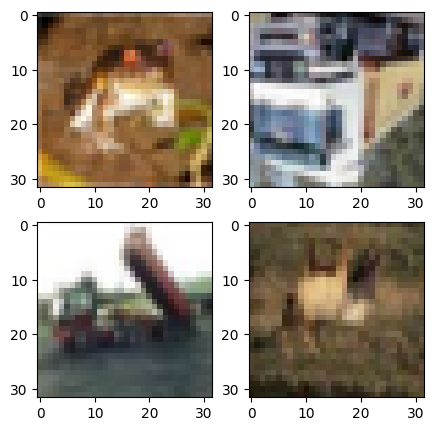
Vertically flip the given image randomly with a given probability.
transforms.RandomVerticalFlip?[31mInit signature:[39m transforms.RandomVerticalFlip(p=[32m0.5[39m)
[31mDocstring:[39m
Vertically flip the given image randomly with a given probability.
If the image is torch Tensor, it is expected
to have [..., H, W] shape, where ... means an arbitrary number of leading
dimensions
Args:
p (float): probability of the image being flipped. Default value is 0.5
[31mInit docstring:[39m Initialize internal Module state, shared by both nn.Module and ScriptModule.
[31mFile:[39m c:\python\python3\lib\site-packages\torchvision\transforms\transforms.py
[31mType:[39m type
[31mSubclasses:[39m transform_RandomVerticalFlip = transforms.Compose([
transforms.RandomVerticalFlip(0.5),
transforms.ToTensor(),
##transforms.Normalize((0.5, 0.5, 0.5), (0.5, 0.5, 0.5))
])
rootdir = './data'
c10trainVFlip = CIFAR10(rootdir,train=True,download=True,transform=transform_RandomVerticalFlip)
loaderVFlip = DataLoader(c10trainVFlip,batch_size=4,shuffle=False) ### Shuffle to False so that we always see the same imagesLet's do a figure for each batch
from matplotlib import pyplot as plt
f = plt.figure(figsize=(5,5))

for i,(data,target) in enumerate(loaderVFlip):

    data = (data.numpy())
    print(data.shape)
    plt.subplot(2,2,1)
    plt.imshow(data[0].swapaxes(0,2).swapaxes(0,1))
    plt.subplot(2,2,2)
    plt.imshow(data[1].swapaxes(0,2).swapaxes(0,1))
    plt.subplot(2,2,3)
    plt.imshow(data[2].swapaxes(0,2).swapaxes(0,1))
    plt.subplot(2,2,4)
    plt.imshow(data[3].swapaxes(0,2).swapaxes(0,1))

    break

f.savefig('train_DARandomVerticalFlip.png')
(4, 3, 32, 32)
2.Color and Appearance Adjustments
These simulate changes in lighting, sensors, or image quality. They help the model learn to ignore pixel-level variations.
Examples:
ColorJitter: Adjusts brightness, contrast, saturation, hue.Grayscale: Removes color information completely.GaussianBlur,Noise: Mimics sensor blur or environmental interference.Posterize,Solarize: Change pixel intensity patterns.
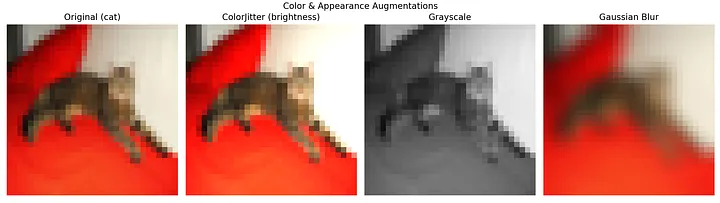
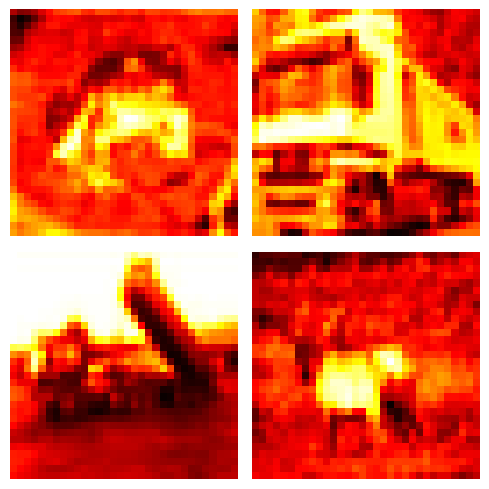
transforms.Grayscale?[31mInit signature:[39m transforms.Grayscale(num_output_channels=[32m1[39m)
[31mDocstring:[39m
Convert image to grayscale.
If the image is torch Tensor, it is expected
to have [..., 3, H, W] shape, where ... means an arbitrary number of leading dimensions
Args:
num_output_channels (int): (1 or 3) number of channels desired for output image
Returns:
PIL Image: Grayscale version of the input.
- If ``num_output_channels == 1`` : returned image is single channel
- If ``num_output_channels == 3`` : returned image is 3 channel with r == g == b
[31mInit docstring:[39m Initialize internal Module state, shared by both nn.Module and ScriptModule.
[31mFile:[39m c:\python\python313\lib\site-packages\torchvision\transforms\transforms.py
[31mType:[39m type
[31mSubclasses:[39m transform_Grayscale = transforms.Compose([
transforms.Grayscale(num_output_channels=1),
transforms.ToTensor(),
])
rootdir = './data'
c10train_Grayscale = CIFAR10(rootdir,train=True,download=True,transform=transform_Grayscale)
loader_Grayscale = DataLoader(c10train_Grayscale,batch_size=4,shuffle=False) ### Shuffle to False so that we always see the same imagesf, axes = plt.subplots(2, 2, figsize=(5, 5))
for data, target in loader_Grayscale:
data = data.numpy() # Shape: (4, 1, 32, 32)
print("Batch shape:", data.shape)
#print(data)
# Plot each image in the batch
for idx, ax in enumerate(axes.flat):
# Index data[idx, 0] to convert shape from (1, 32, 32) -> (32, 32)
ax.imshow(data[idx, 0], cmap='gray')
ax.axis('off') # Optional: hides axis ticks
break # Process only the first batch
f.tight_layout()
f.savefig('train_Grayscale.png')
plt.show()Batch shape: (4, 1, 32, 32)
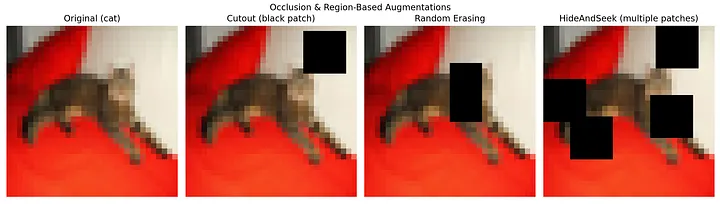
3. Occlusion and Region-Based Augmentations
These hide or remove parts of the input to force the model to reason about incomplete data.
Examples:
Cutout: Removes a random square from the image.RandomErasing: Similar to Cutout, with more shape and placement flexibility.Hide-and-Seek: Blocks out multiple patches at random.
4. Sample Mixing Techniques
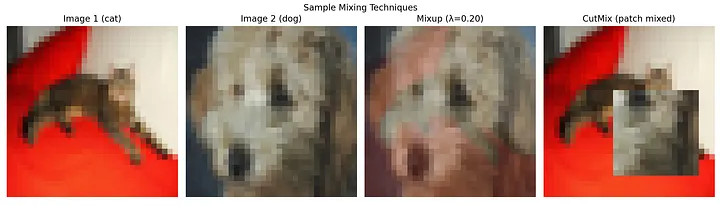
These blend multiple images and labels to produce new samples. They work as strong regularizers.
Examples:
Mixup: Linearly combines two images and their labels.CutMix: Patches part of one image onto another, mixing labels.FMix: Uses frequency-based masks to blend inputs more naturally.
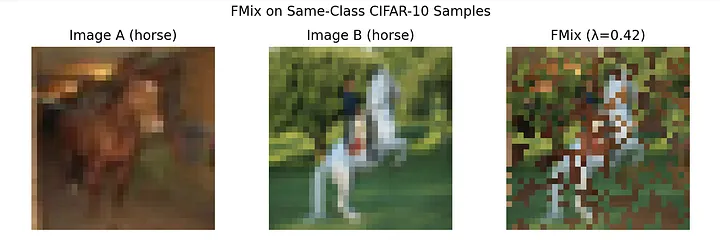
Note1: Although FMix images can appear strange or unrecognizable to us — especially at low resolutions like the CIFAR-10 data — the technique is still highly effective.
Note2: While Mixup and CutMix are powerful tools, applying them blindly can generate confusing samples — especially when mixing semantically unrelated classes like “dog” and “airplane.” For clearer visualizations (and often better model behavior in early experiments), it helps to restrict mixed samples to the same or related classes.
import torchvision.transforms.v2 as transforms2
transforms2.MixUp?[31mInit signature:[39m
transforms2.MixUp(
*,
alpha: float = [32m1.0[39m,
num_classes: Optional[int] = [38;5;28;01mNone[39;00m,
labels_getter=[33m'default'[39m,
) -> [38;5;28;01mNone[39;00m
[31mDocstring:[39m
Apply MixUp to the provided batch of images and labels.
Paper: `mixup: Beyond Empirical Risk Minimization <https://arxiv.org/abs/1710.09412>`_.
.. note::
This transform is meant to be used on **batches** of samples, not
individual images. See
:ref:`sphx_glr_auto_examples_transforms_plot_cutmix_mixup.py` for detailed usage
examples.
The sample pairing is deterministic and done by matching consecutive
samples in the batch, so the batch needs to be shuffled (this is an
implementation detail, not a guaranteed convention.)
In the input, the labels are expected to be a tensor of shape ``(batch_size,)``. They will be transformed
into a tensor of shape ``(batch_size, num_classes)``.
Args:
alpha (float, optional): hyperparameter of the Beta distribution used for mixup. Default is 1.
num_classes (int, optional): number of classes in the batch. Used for one-hot-encoding.
Can be None only if the labels are already one-hot-encoded.
labels_getter (callable or "default", optional): indicates how to identify the labels in the input.
By default, this will pick the second parameter as the labels if it's a tensor. This covers the most
common scenario where this transform is called as ``MixUp()(imgs_batch, labels_batch)``.
It can also be a callable that takes the same input as the transform, and returns the labels.
[31mInit docstring:[39m Initialize internal Module state, shared by both nn.Module and ScriptModule.
[31mFile:[39m c:\python\python313\lib\site-packages\torchvision\transforms\v2\_augment.py
[31mType:[39m type
[31mSubclasses:[39m transform_Mixup = transforms.Compose([
transforms2.MixUp(),
transforms.ToTensor(),
])
rootdir = './data'
c10train_Mixup = CIFAR10(rootdir,train=True,download=True,transform=transform_Mixup)
loader_Mixup = DataLoader(c10train_Mixup,batch_size=4,shuffle=False) ### Shuffle to False so that we always see the same imagesf, axes = plt.subplots(2, 2, figsize=(5, 5))
for data, target in loader_Mixup:
data = data.numpy() # Shape: (4, 1, 32, 32)
print("Batch shape:", data.shape)
#print(data)
# Plot each image in the batch
for idx, ax in enumerate(axes.flat):
# Index data[idx, 0] to convert shape from (1, 32, 32) -> (32, 32)
ax.imshow(data[idx, 0], cmap='gray')
ax.axis('off') # Optional: hides axis ticks
break # Process only the first batch
f.tight_layout()
f.savefig('train_GMixUp.png')
plt.show()---------------------------------------------------------------------------
ValueError Traceback (most recent call last)
Cell In[27], line 2
1 f, axes = plt.subplots(2, 2, figsize=(5, 5))
----> 2 for data, target in loader_Mixup:
3 data = data.numpy() # Shape: (4, 1, 32, 32)
4 print("Batch shape:", data.shape)
5
File C:\Python\Python313\Lib\site-packages\torch\utils\data\dataloader.py:733, in _BaseDataLoaderIter.__next__(self)
730 if self._sampler_iter is None:
731 # TODO(https://github.com/pytorch/pytorch/issues/76750)
732 self._reset() # type: ignore[call-arg]
--> 733 data = self._next_data()
734 self._num_yielded += 1
735 if (
736 self._dataset_kind == _DatasetKind.Iterable
737 and self._IterableDataset_len_called is not None
738 and self._num_yielded > self._IterableDataset_len_called
739 ):
File C:\Python\Python313\Lib\site-packages\torch\utils\data\dataloader.py:789, in _SingleProcessDataLoaderIter._next_data(self)
787 def _next_data(self):
788 index = self._next_index() # may raise StopIteration
--> 789 data = self._dataset_fetcher.fetch(index) # may raise StopIteration
790 if self._pin_memory:
791 data = _utils.pin_memory.pin_memory(data, self._pin_memory_device)
File C:\Python\Python313\Lib\site-packages\torch\utils\data\_utils\fetch.py:52, in _MapDatasetFetcher.fetch(self, possibly_batched_index)
50 data = self.dataset.__getitems__(possibly_batched_index)
51 else:
---> 52 data = [self.dataset[idx] for idx in possibly_batched_index]
53 else:
54 data = self.dataset[possibly_batched_index]
File C:\Python\Python313\Lib\site-packages\torchvision\datasets\cifar.py:119, in CIFAR10.__getitem__(self, index)
116 img = Image.fromarray(img)
118 if self.transform is not None:
--> 119 img = self.transform(img)
121 if self.target_transform is not None:
122 target = self.target_transform(target)
File C:\Python\Python313\Lib\site-packages\torchvision\transforms\transforms.py:95, in Compose.__call__(self, img)
93 def __call__(self, img):
94 for t in self.transforms:
---> 95 img = t(img)
96 return img
File C:\Python\Python313\Lib\site-packages\torch\nn\modules\module.py:1751, in Module._wrapped_call_impl(self, *args, **kwargs)
1749 return self._compiled_call_impl(*args, **kwargs) # type: ignore[misc]
1750 else:
-> 1751 return self._call_impl(*args, **kwargs)
File C:\Python\Python313\Lib\site-packages\torch\nn\modules\module.py:1762, in Module._call_impl(self, *args, **kwargs)
1757 # If we don't have any hooks, we want to skip the rest of the logic in
1758 # this function, and just call forward.
1759 if not (self._backward_hooks or self._backward_pre_hooks or self._forward_hooks or self._forward_pre_hooks
1760 or _global_backward_pre_hooks or _global_backward_hooks
1761 or _global_forward_hooks or _global_forward_pre_hooks):
-> 1762 return forward_call(*args, **kwargs)
1764 result = None
1765 called_always_called_hooks = set()
File C:\Python\Python313\Lib\site-packages\torchvision\transforms\v2\_augment.py:160, in _BaseMixUpCutMix.forward(self, *inputs)
157 needs_transform_list = self._needs_transform_list(flat_inputs)
159 if has_any(flat_inputs, PIL.Image.Image, tv_tensors.BoundingBoxes, tv_tensors.Mask):
--> 160 raise ValueError(f"{type(self).__name__}() does not support PIL images, bounding boxes and masks.")
162 labels = self._labels_getter(inputs)
163 if not isinstance(labels, torch.Tensor):
ValueError: MixUp() does not support PIL images, bounding boxes and masks.
Note:
- Don't forget that you should not change the image size as a result of transformation.
- There are also some popular packages for data augmentations such as albumentations, including a more detailed pytorch tutorial here. You can check out more examples of DA strategies there.
Combine of transformations and see the effect
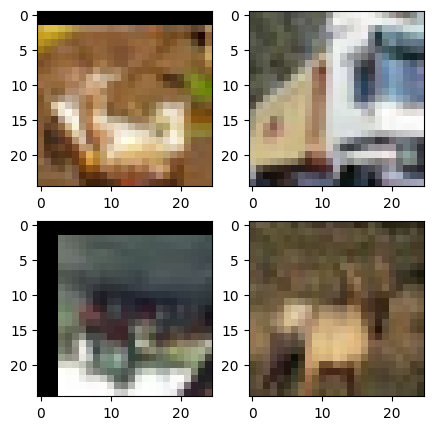
transform_DACombined = transforms.Compose([
    transforms.RandomCrop(25, padding=3),
    transforms.RandomHorizontalFlip(),
    transforms.RandomVerticalFlip(),
    transforms.ToTensor(),
    ##transforms.Normalize((0.5, 0.5, 0.5), (0.5, 0.5, 0.5))
    ])

rootdir = './data'

c10trainDACombined = CIFAR10(rootdir,train=True,download=True,transform=transform_DACombined)

loaderDACombined = DataLoader(c10trainDACombined,batch_size=4,shuffle=False) ### Shuffle to False so that we always see the same images

from matplotlib import pyplot as plt
f = plt.figure(figsize=(5,5))

for i,(data,target) in enumerate(loaderDACombined):

    data = (data.numpy())
    print(data.shape)
    plt.subplot(2,2,1)
    plt.imshow(data[0].swapaxes(0,2).swapaxes(0,1))
    plt.subplot(2,2,2)
    plt.imshow(data[1].swapaxes(0,2).swapaxes(0,1))
    plt.subplot(2,2,3)
    plt.imshow(data[2].swapaxes(0,2).swapaxes(0,1))
    plt.subplot(2,2,4)
    plt.imshow(data[3].swapaxes(0,2).swapaxes(0,1))

    break

f.savefig('train_DACombined.png')
(4, 3, 25, 25)